22Bet App
Bet on NHL, spin slots, or play live dealer tables anywhere in Canada with the 22Bet mobile app and website.
-
 In-Play Betting
 -
 Huge Jackpots
 -
 Fast
Fast
Payouts



Bet on NHL, spin slots, or play live dealer tables anywhere in Canada with the 22Bet mobile app and website.
In-Play Betting Huge Jackpots Fast 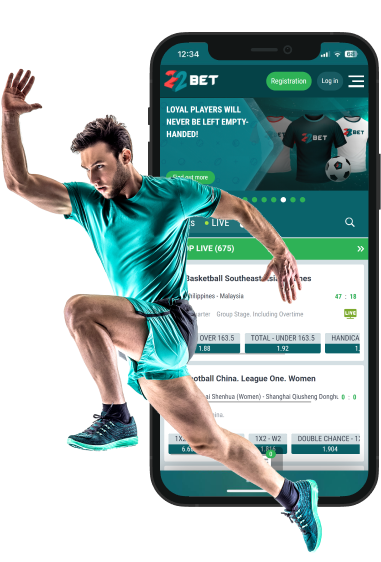
If you’re outside Ontario, 22Bet Canada lets you keep NHL odds, Champions League markets, thousands of slots, live dealers, and Aviator in one place on mobile. Use the iOS or Android app, or skip the download and play on the mobile site.
We tested all three — iOS, Android, and mobile web — to see how it feels in real use: lines loaded fast, in-play bets confirmed quickly, and the casino lobby moved like a desktop. If you’d rather stay in the browser, deposits, withdrawals, and live play still run smoothly. Load times were short, in-play bets locked in quickly, and the casino lobby felt as snappy as a desktop. If you prefer not to install anything, the mobile site still covers deposits, withdrawals, and live play without hiccups.
For Apple users, there’s an official 22Bet iOS app in some regions, but not all. Even if the app doesn’t show in your App Store, you can run the mobile website in Safari and save it to your home screen. In practice, both methods deliver the same betting and casino experience.
Getting the 22Bet app on iOS is straightforward, although availability can vary by region. If it shows up in your App Store, you’ll have it installed in minutes. If not, the mobile site offers a quick workaround. Here’s how to get the app on your Apple device(s):
On an iPhone 13 and a recent iPad on iOS 16, odds updated right away; slots opened in about 3–5 seconds. NHL in-play bets were confirmed in roughly 3–4 seconds, so you can keep pace with the game. Evolution live tables stayed in HD on Wi-Fi with no hiccups.
RegistrationAndroid players get a dedicated 22Bet APK, downloadable directly from the official site. This bypasses the Play Store, which doesn’t always allow real-money betting apps in Canada.
You won’t see 22Bet in the Play Store; grab the APK from the official site instead. It’s a short setup:
Small tip: only download the file from 22Bet’s site, not a random mirror. How it ran for us: we tried the APK on a Samsung Galaxy S22 and a mid-range Xiaomi Redmi. NHL in-play bets usually confirmed in ~2 seconds on 4G; Pragmatic Play slots opened in about 4–5 seconds; Evolution live blackjack stayed smooth. The app felt a touch cleaner than the mobile site, with snappier scrolling between markets.
If you’d rather stay in the browser, the mobile site covers everything:
For casual betting or quick spins, the mobile site is enough; if you bet often or play live casino a lot, the app has a slight edge.
Performance was solid on recent iOS and Android phones over Wi-Fi and 4G/5G:
Rule of thumb: any phone from the last 3–4 years with 3 GB RAM or more and a steady connection will handle the 22Bet app fine. Live-dealer tables use more data, but we didn’t hit slowdowns on mid-range devices.
RegistrationWhy download 22Bet as an app if the mobile site works? After a week of testing, we found clear advantages:
In short, the app is the better option if you play often. The mobile site is good for one-off sessions, but the app feels smoother and more reliable.
Registration